Download the
TEAMS Mobile App
Access your student or agent portal on mobile.
Secure, fast, and built for everyday use.
-
🔵 Safe to install • 🟢 Verified by TEAMS • 🌐 Used by RTOs across Australia
For Android devices. Installation instructions below.
Choose Your App
Download the right app for your portal access
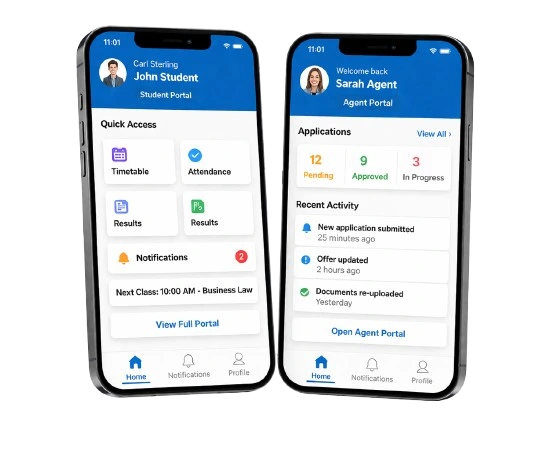
Student App
Access your academic portal and manage your studies on the go
- View timetable & class schedules
- Track attendance & course progress
- Access results & academic records
- Receive college notifications
Version 1.2.0 • 25 MB • Updated March 2026
Agent App
Manage applications and track student progress in real-time
- Submit & manage applications
- Track status & updates
- Access student documents
- Monitor commissions & invoices
Version 1.2.0 • 25 MB • Updated March 2026
Is It Safe to Install?
*Official app provided by TEAMS *Secure login with your college credentials. *No third-party modifications *Regular updates and support
How To Install the APP
Quick and easy setup in 5 simple Steps
- Download APK File
- Open the file on your device
- Allow Installation when Prompted
- Install and open the app
- log in using your portal credentials
Can’t see the install option? Go to Settings *** Secure *** Unknown Sources and enable Allow from this source
Access Anywhere
Your portal in your pocket
Instant Notifications
Never miss an update
Real-Time Updates
Live data sync
Secure Access
Bank-level encryption
Need Help?
Having trouble downloading or installing the app? We’re here to help
- Email: Support@rtosoftware.com.au
- Mon - Fri, 9:00 AM - 5:00 PM AST
- Australian-Wide Support
Looking for Login Help? Your portal Credentials are the same as the mobile app. Contact your college if you need access.