Website Data Capture
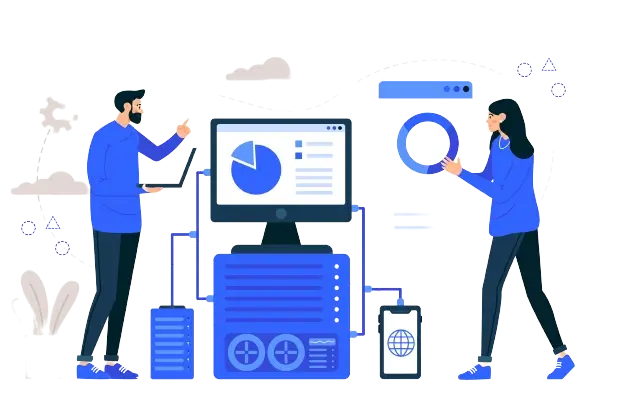
Website Data Capture Website data capture lets you enhance your website’s performance for faster enrolment and registration processing. Integrate applications and forms on your website for a smoother user experience and increased conversion rates with RTO Software. Custom-designed forms to suit your website. Accept enrolments and applications on your website and push the data directly into the system. Publish agent lists and more. All from within our integrated software. Capture your website data Use contact forms, surveys, newsletters, or other types of web forms to record any information your clients choose to share with you. Automating the extraction, categorization, and validation of relevant data to enhance business operations by providing faster and more effective access to information. We can integrate with Paypal if you want to accept payments. Or you can simply do enrolments and applications and process them in the system. You can easily publish your agent lists, public documents, release assessment documents, and more. Capture Leads, Inquiries, and Applications. No more Bottlenecks! Note: For easy data transfer, you can map the Enquire Now and Enroll Now buttons directly to TEAMS. The key to keeping your college afloat is student enrolment. Increase enrolment and keep students with a great website data structure!
Automated Alerts, Email and SMS

Automated Alerts, Emails and SMS Stay informed effortlessly with Automated Alerts, Email and SMS. Send out emails and SMS messages automatically and in the background. Just configure the business rules and conditions, and it all happens without you having to raise a finger, or even a tap or a click! Send automated alerts for finances overdue, academic warnings, compliance alerts and more… With TEAMS, you can send out emails and SMS messages manually whenever you wish. Just go to our Mail Merge Centre and you can send out messages for all kinds of reasons. When a potential issue arises, the quicker you are alerted to it, the quicker you can respond to and resolve the situation. You may also need to alert your customers to an issue, depending on your company’s needs. With the help of TEAMS, you can use several systems through one single interface. Automate Critical Alerts? Automate your key notifications to manage your institute more successfully and efficiently. These can be easily linked to almost any system. With the TEAMS automation feature, experience: An increase in your business performance Complete transparency of information Superior client service quality Safety from any potential dangers What makes us stand out is our ability to automate the processes based on pre-defined business rules. Want to send out overdue invoice notices via email and SMS as soon as something is more than 7 days overdue? Done! Even better, once you have it configured, it sends out alerts automatically without anyone having to do anything further. Take control. Without having to constantly do it all yourself.
Flexible Reporting

Flexible Reporting Under flexible reporting, It is crucial to effectively manage and maintain support requests to have access to the information required. Word templates for student invoices, letter of offers and all external reports. Excel and CSV templates for fast and flexible internal reporting. Build filters, graphs and presentations easily. Easy customization, run reports now or use a scheduler, automation of certain reports also possible. We use word templates to allow you full customization of your external facing documents such as student invoices, letter of offers, receipts, transcripts and certificates. Easily change the template and have many copies for various campuses, departments and faculties. Our Mission It is our mission to help IT technicians deliver support in an efficient, elegant, and effective way, offering them the means to capture comprehensive statistics. Generate a wealth of data-centric real-time reports – Providing IT technicians with the ability to create customized reports. It will ensure they are fully informed, enabling them to make the most effective decisions possible. Data can be altered on the dashboard in order to meet a specific need or to fit into a specific scenario. Depending on the layout of the screen, the results are presented as a tabular display, bar graphs, and pie charts. For ease of comparison, multiple reports can be presented simultaneously. As standard with all of our products, we provide a set of common status reports to help users with the analysis of everything that happens. Accessible Flexible Reporting It is a good thing we still have the option of being flexible in reporting. It is more accessible than you might think. Managing and controlling financial information and data is as easy as clicking a button. The chosen data can be made accessible to stakeholders who are granted permission to do so. The ability to report on your data in a way that is flexible and convenient is one of the benefits of business intelligence. For internal reporting, we use excel and CSV templates. Create filters, graphs, presentations and filters based on the columns you report on. You can also automate some other reports and have them delivered to your inbox on a regular basis.
Mobile Device Friendly

Mobile Device Friendly Our mobile device friendly platform enables staff, administrators, and academics to manage tasks from anywhere on any device. With fast and responsive dashboards, users can easily access and stay productive on the go. iPad-friendly TEAMS lite edition. Perform common admin tasks on the go. Fast, clean dashboards available for key admin, academic and finance staff. Mobile friendly means In other words, mobile-friendly means our website’s visitors can use our website via their mobile devices with ease despite any significant differences between the desktop version of our website and the mobile version. Mobile-friendly websites are smaller versions of RTO software (TEAMS) site that display accurately on smartphones and operate easily on their platforms. Users accessing the internet more frequently via mobile phones than desktops, laptops or tablets continue to increase the importance of having a mobile-friendly website. Importance of online presence A strong online presence can increase an organization’s success and ability to reach its target demographic. Building an online presence involves creating a website that is functional, contains educational information, facilitates the sales process, and represents your brand visually. Everyone wants instant gratification, regardless of location or device type. The desire for more information and more services leaves people hungry for more. For a website to be accessible to mobile visitors, it needs to be mobile-friendly. Fast, clean dashboards are available for key tasks that admin, academic, and finance staff are likely to do. Mobile ready for wherever your team wishes to use TEAMS (Mobile Device Friendly) on the go.
AVETMISS 101 – What is AVETMISS

AVETMISS 101 – What is AVETMISS If someone asked you, “What does AVETMISS 101 stand for” or “How does it work” what would you do? More than likely, pass the buck by saying “Ask so and so, they’ll explain it better”. When you think of AVETMISS do you just quietly or possibly loudly sigh. Resign yourself to the fact that you will never really understand it? Or maybe you are new to an RTO and haven’t even heard of AVETMISS 101 before! No matter the reason, AVETMISS doesn’t need to be confusing or stressful. In this article, you’ll discover what AVETMISS 101 is and why it’s important for RTOs Don’t waste any more time thinking that AVETMISS is complex and confusing, read this article. Start freeing your time up to spend on strategic and day-to-day tasks. This is a simple resource to introduce people to an RTO and/or to AVETMISS 101. What and how it works and why it is important. As a result, it is not an in-depth source of technical or legal requirements. Things are deliberately left out in order to avoid confusing the reader. Table of Contents: AVETMISS 101 AVETMISS 101: An overview Understand RTO types: RTO 101 VET Student Data Submission for RTO Compliance AVETMISS Data Submissions Collecting the Right Data When and where do we collect the right data? Facing the Problem To Collect All The Information Student study lifecycle’s impact on AVETMISS data files The Student Management System handles individual modules or competencies Is your Student Management System (SMS) keeping student outcomes up-to-date? AVETMISS Data Submission Requirements Best Practices for Data Management in Your Student Management System One of the most critical processes for Data Management How to check student data in Student Management System The NCVER Client Support Team AVETMISS 101: An overview The first thing to know is that AVETMISS 101 stands for the Australian Vocational Education and Training Management Information Statistical Standard. A national VET data standard ensures consistent and accurate collection and reporting of VET information. As part of RTOs compliance requirements, in February of each year, all RTOs have to submit their student data to either NCVER or their State or Territory Training Authority (STA). Depending on what type of RTO you work for or own, will determine where your data is submitted. NCVER will collect data from CRICOS-registered RTOs that are 100% fee-for-service (FFS). When you receive state funding for training students, you would submit their data to a State Training Authority (STA). You may have chosen to include your FFS student data in your monthly submissions. On the other hand, you may have chosen to submit your FFS student annually to NCVER, no matter which way you chose to do this, your STA will submit your funded student data to NCVER on an annual basis after you have finalized your funded student data for the calendar year with them. When you submit your data annually, you will be submitting the previous calendar year’s student data. For example, in February 2019, all RTOs will be submitting their student data for the calendar year 2018. Understand RTO types: RTO 101 For more information on RTO types, check out our article “RTO 101: What is an RTO“ AVETMISS was first released in 1994 for publicly funded TAFE and government providers to comply with. It then was released in 1995 for publicly funded adult and community education (ACE) providers and in 1996 all other providers who were publicly funded were required to comply with the standards. When the AVETMISS 101 standards were released, the above RTOs had to comply with the standards where: This is still a compliance requirement today for any funded RTO. VET Student Data Submission for RTO Compliance However, as with everything in the RTO industry, times have changed and so has compliance requirements. Since 2015 all RTOs, funded or ffs (fee for service), must submit their VET student data as part of their compliance requirements. With this change came a lot more pressure on RTOs to improve on their management of not only their compliance requirements but also on their student data. For the first time, CRICOS RTOs had to change how they did things, many had never issued a result date or used training plans to set when and where a student would commence and complete a unit of competency or module. Many had to change their enrolment/application forms to ask the questions required to capture the data needed for these submissions. This new requirement had a major impact on RTOs, not just CRICOS ones, and many still struggle each February to do their annual data submission successfully after a few attempts, let alone on the first upload/submission. If you are successful on your first upload/submission, then congratulations you have achieved something that very few have been able to achieve and probably do not need to read this article. AVETMISS data Submissions Every RTO, regardless of size or type, has a responsibility to manage the quality of its data to meet compliance requirements. On a day-to-day basis, how much data do you collect relating to your students’ or their studies or for your Employers, Agents, Schools and so on? All this data means something to your RTO and generally a large component of it affects your compliance requirements, especially your AVETMISS data submissions. Poor data quality costs RTOs large amounts of time, resources and money every year. It is a significant problem not only for compliance management but it can also lead to: Inferior customer service Reduced employee productivity Lost sales opportunities etc. Collecting the right data Many RTOs struggle to manage the quality of their data, and there are just as many that has no idea how important the quality of their data is to their compliance requirements. Data quality management is not rocket science or something to keep at arm’s length or even avoid, it’s something you need to consider seriously and take action to put a plan in place to manage your data.
Marketing Centre

Marketing Centre Managing the admissions process and marketing your programs effectively can be time-consuming and complex. With TEAMS’ Marketing Centre, you can simplify the process and save time: No need for a separate CRM when you use our software Capture inquiries from your website Track Agent applications and manage all prospects, emails and SMS in one integrated software TEAMS MARKETING CENTRE Track the progression of a lead to a prospect, and process their application into a live student without any third party CRM. Integrate your existing CRM (if any) into TEAMS, with our API Coalesce your website with the TEAMS site, and make double-entry and handling a thing of the past. If you are a CRICOS or ELICOS college, we offer Agent Portals, and agents can send in applications through our Marketing Centre. Have a quick snapshot of your marketing results with Marketing reports, Agents Performance, and Sales Staff Performance pages. Send Email campaigns, SMS and traditional .docx letters with TEAMS. Note: From the application level onwards, all data is reused and for each course, you can monitor your Offer Letters issued (for CRICOS colleges) to Sign Up’s/Enrolment Acceptances issued (for AVETMISS/Fee for Service colleges). Marketing Centre Features Leads (not-yet-qualified clients) tracking/monitoring Prospects (qualified clients/to be confirmed) tracking/monitoring Proposals (Offer Letters) tracking/monitoring Offer letters and acceptance letters emailed directly from TEAMS in pdf format Proposals (Offer Letters) expiry monitoring Bulk Emails, SMS or letters to leads, prospects & proposals Online Web Enrolment Form Online Web Enquiry Form The RTO Software’s integrated platform can help streamline your admissions process, improve communication with prospective and current students, and monitor your marketing efforts – all in one place. Contact us today to learn more about how our platform can benefit your CRICOS or vocational colleges.